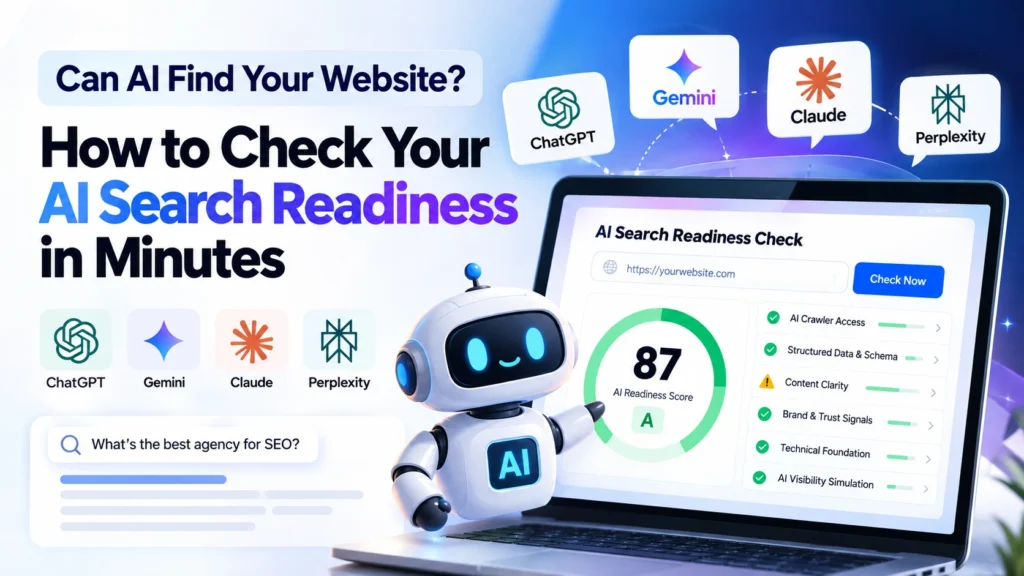
AI search readiness is how well ChatGPT, Google Gemini, Claude and Perplexity can crawl, understand, trust and cite your website. If an AI assistant can’t read your pages or can’t tell who you are, it won’t recommend you, however good your product is.
People now ask assistants questions like “Which agency should I hire?” or “Where can I buy this?” before they ever open a search results page. The answer is a short list of brands, and there is room for only a few.
This guide explains what AI search readiness is, the six areas that decide it, and how to improve it step by step.
What Is AI Search Readiness?
AI search readiness is a measure of how prepared your website is to be found, understood and quoted by AI-driven search tools. That includes Google’s AI Overviews, ChatGPT search, Gemini, Claude and Perplexity.
You may also see it called generative engine optimization (GEO) or AI optimization (AIO). The goal is the same: be the source an AI answer draws from.
It builds on SEO fundamentals rather than replacing them. Here is how the two differ:
| Traditional SEO | AI search readiness | |
|---|---|---|
| Goal | Rank a link on a results page | Be quoted or recommended inside an AI answer |
| What is read | Keywords, backlinks, page experience | Entities, structured data, direct answers, trust signals |
| Success looks like | Rankings and clicks | Mentions, citations and recommendations |
Why AI Search Readiness Matters
AI search readiness matters because AI assistants answer first and link second. If your site isn’t part of the answer, the visitor may never reach you.
- Discovery is shifting. More buying research starts with a question to an assistant instead of a list of blue links.
- AI answers cite few sources. Competition for each mention is tighter than for a page-one ranking.
- Blocks are silent. One line in robots.txt can hide your whole site from an AI crawler, and you’d never see an error.
Google’s own documentation on AI features and your website says that pages need to be indexed and eligible to show a snippet to appear in AI Overviews. No special markup is required. That makes the basics below even more important.
The 6 Areas That Decide Your AI Search Readiness
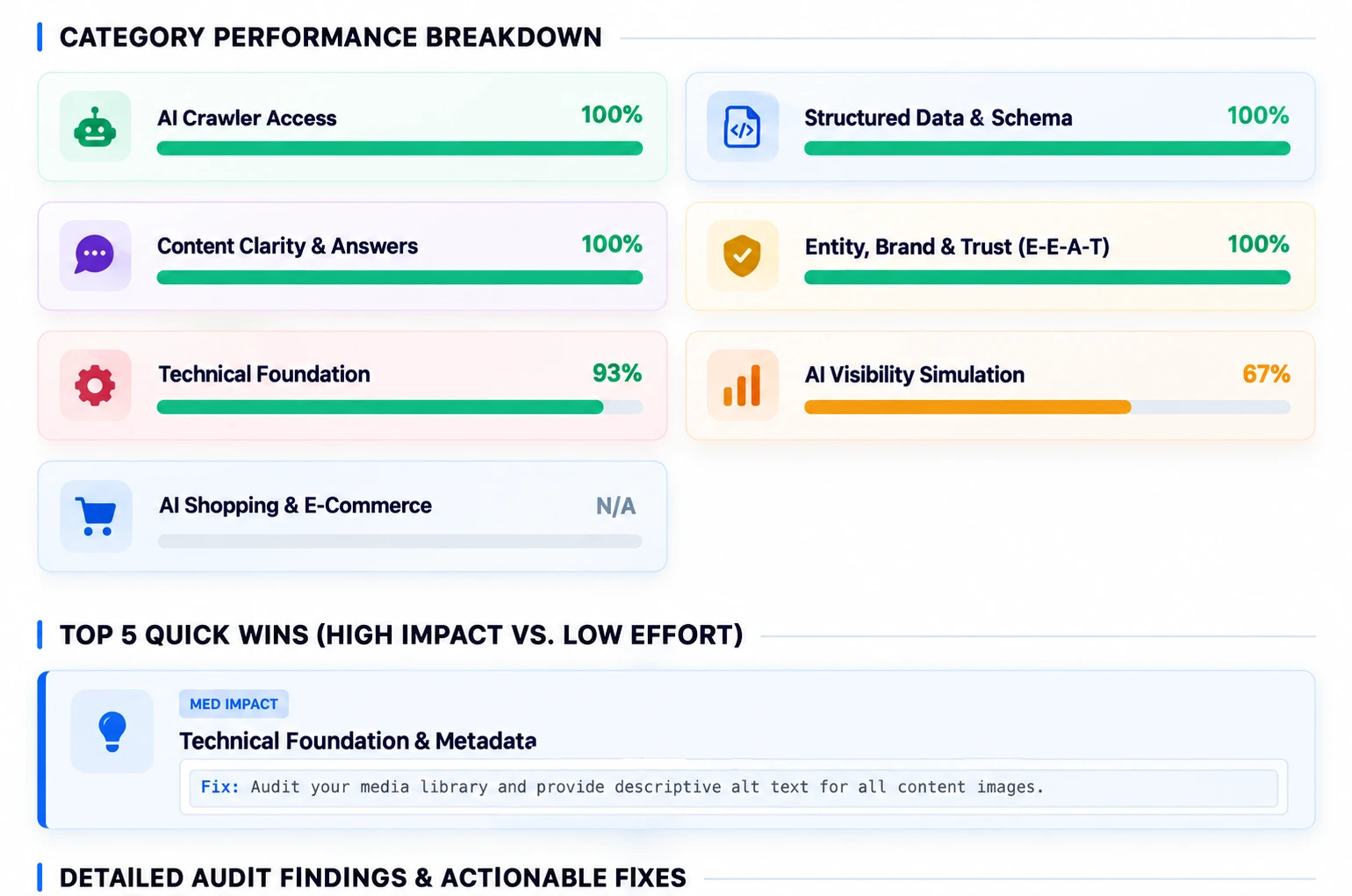
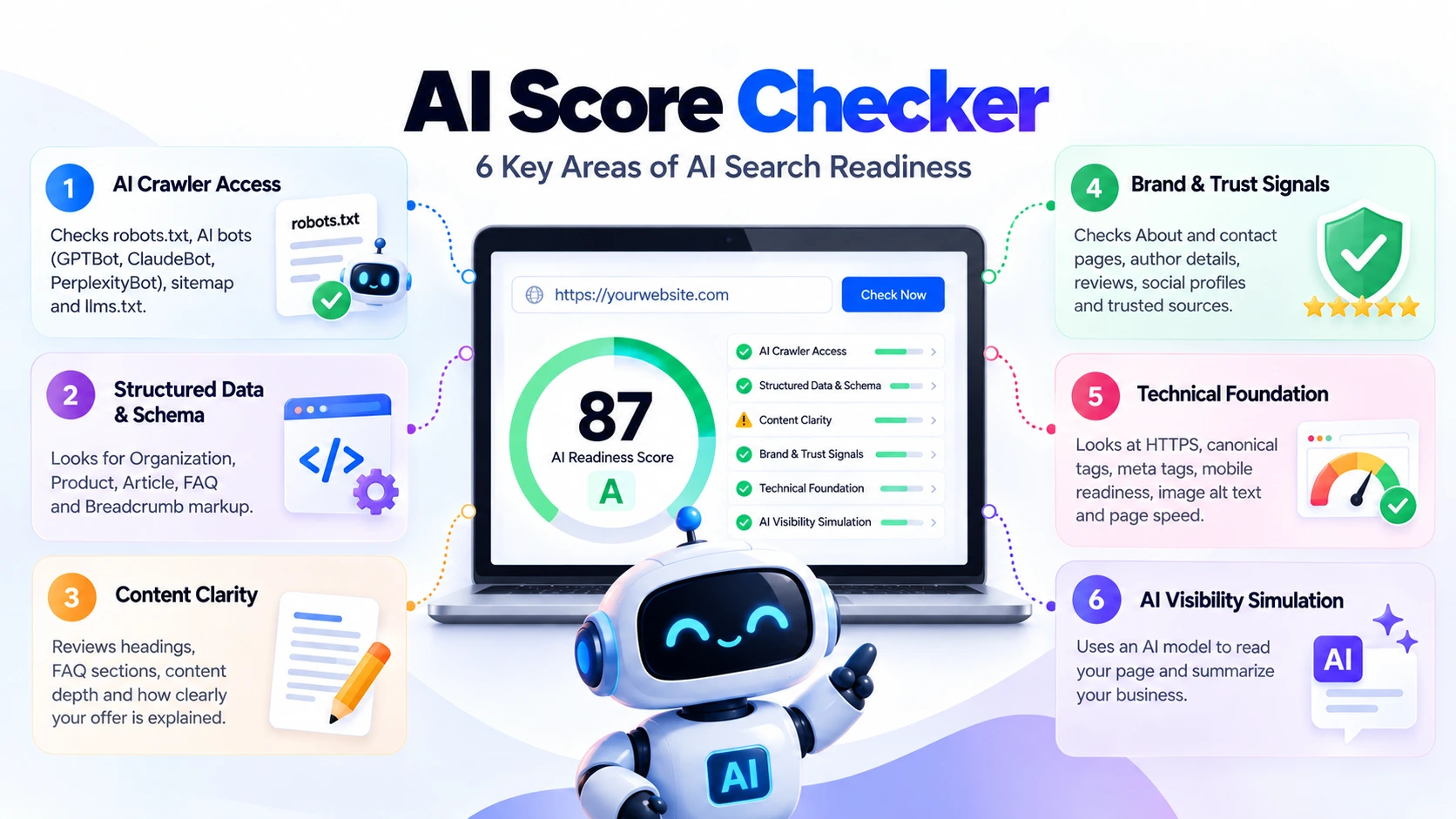
Our AI score checker runs dozens of checks across six areas and turns them into a weighted 0-100 score. Here is what each area covers and how to fix it.
| Area | What AI systems look for | Quick fix |
|---|---|---|
| 1. Crawler access | Bots allowed, valid sitemap, optional llms.txt | Update robots.txt |
| 2. Structured data | Organization, Product, Article, FAQ, Breadcrumb schema | Add JSON-LD markup |
| 3. Content clarity | Clear headings, direct answers, FAQs | Lead with the answer |
| 4. Trust signals | About, contact, authors, reviews, profiles | Show who is behind the site |
| 5. Technical foundation | HTTPS, canonicals, meta tags, speed, alt text | Fix basic tags and speed |
| 6. AI simulation | An accurate AI summary of your business | Clarify your offer on key pages |
1. AI Crawler Access
AI tools can only use what their crawlers are allowed to fetch. Check whether your robots.txt permits the main AI user agents:
- OpenAI: GPTBot (training), OAI-SearchBot (ChatGPT search) and ChatGPT-User (visits triggered by a user). See OpenAI’s crawler documentation.
- Anthropic: ClaudeBot, Claude-SearchBot and Claude-User.
- Perplexity: PerplexityBot and Perplexity-User.
- Google: Googlebot powers Search and AI Overviews. Google-Extended is a separate token that controls use of your content for Gemini. See Google’s crawler overview.
Also confirm your sitemap is valid. Consider adding an llms.txt file, a plain-text guide to your most important pages.
2. Structured Data and Schema Markup
Schema markup tells machines exactly who you are and what you offer, without guesswork. Look for these types:
- Organization: your name, logo and official profiles
- Product: price, availability and reviews (for stores)
- Article: author, publish date and update date
- FAQPage: questions and answers that appear on the page
- BreadcrumbList: where the page sits in your site
Use JSON-LD and follow Google’s structured data guidelines. Browse every type on Schema.org. The markup must match what visitors can see on the page.
3. Content Clarity
AI tools favor pages that answer questions clearly. They pull short, self-contained passages, so each section should make sense on its own.
- Use one H1 and descriptive H2 and H3 headings, ideally phrased like real questions.
- Put the direct answer in the first one or two sentences under each heading.
- Add an FAQ section written in plain language.
- Make your offer obvious within the first few seconds.
4. Brand and Trust Signals
AI systems try to avoid recommending brands they can’t verify. Make it easy to see who you are:
- An About page and a contact page with real details
- Named authors with short bios and credentials
- Customer reviews and case studies
- Active social profiles and links to trusted sources
5. Technical Foundation
Small technical gaps can quietly hold back visibility. Check for:
- HTTPS on every page
- Canonical tags and unique meta titles and descriptions
- Mobile-friendly layouts and fast load times
- Descriptive image alt text
- Key content in the HTML itself, since many AI crawlers don’t run JavaScript
6. AI Visibility Simulation
The best test is to ask an AI model to read your page and summarize your business. If the summary is vague or wrong, visitors and AI tools are probably confused too.
Running an online store? Add product schema, clear pricing, availability, reviews and return policy details. AI shopping assistants depend on them.
How to Check Your AI Search Readiness
You can check your AI search readiness manually or with a tool. To use ours:
- Open the AI score checker.
- Enter your name, work email and the website URL you want to audit.
- Run the scan. It is a safe, read-only inspection, so nothing on your site is changed.
- Review your report and start with the quick wins.
Your report includes:
- An overall score from 0 to 100 with a grade from A to F
- A score for each of the six categories
- A pass, warning or fail action checklist
- Your top 5 quick wins, ranked by impact and effort
- A downloadable PDF and a shareable link for your team
How to Improve Your AI Search Readiness
Work through these steps in order. The first three usually deliver the biggest gains.
- Allow AI crawlers in robots.txt. Use the template below.
- Publish a valid XML sitemap and reference it in robots.txt.
- Add JSON-LD schema for Organization, Article, FAQPage and BreadcrumbList (plus Product for stores).
- Rewrite key pages answer-first. Lead each section with a one- or two-sentence answer, then add detail.
- Add FAQ sections that mirror real customer questions.
- Strengthen trust signals. Add author bios, reviews and clear contact details.
- Add an llms.txt file listing your most important pages (optional).
- Keep pages fresh. Show a visible “last updated” date and revise key pages regularly.
- Re-run the audit to measure progress.
Here is a robots.txt template that allows the main AI search and retrieval crawlers:
# Allow AI search and retrieval bots
User-agent: OAI-SearchBot
Allow: /

User-agent: ChatGPT-User
Allow: /

User-agent: PerplexityBot
Allow: /

User-agent: Claude-SearchBot
Allow: /

# Training crawlers (your choice: Allow or Disallow)
User-agent: GPTBot
Allow: /

User-agent: ClaudeBot
Allow: /

User-agent: Google-Extended
Allow: /

Sitemap: https://yourdomain.com/sitemap.xml
You decide whether to allow training crawlers such as GPTBot, ClaudeBot and Google-Extended. Blocking them limits use of your content for model training. Blocking the search and retrieval bots, or Googlebot, is what removes you from AI answers.
Want a plan built around your own results? Our AI Search Optimization service turns audit findings into a prioritized roadmap.
Common AI Search Readiness Mistakes
- Blocking every bot with a blanket rule. A broad Disallow can hide you from AI search tools without any warning.
- Hiding content behind JavaScript. If the text isn’t in the HTML, some crawlers never see it.
- Schema that doesn’t match the page. Markup for content visitors can’t see erodes trust.
- Anonymous content. No author, no contact page and no reviews give AI little reason to trust you.
- Vague positioning. If you can’t explain what you sell in one sentence, an AI summary won’t either.
AI Search Readiness FAQ
What is AI search readiness?
AI search readiness is how well your website can be crawled, understood, trusted and cited by AI search tools such as ChatGPT, Gemini, Claude and Perplexity. It combines crawler access, structured data, clear content, trust signals and technical health.
How do I check my AI search readiness?
Use an AI readiness tool such as our AI score checker. It scans your page and returns a 0-100 score, category scores, a checklist and your top five quick wins. You can also review robots.txt, schema and content manually.
Should I allow AI crawlers like GPTBot and ClaudeBot?
If you want AI assistants to cite and recommend your business, allow their search and retrieval crawlers, such as OAI-SearchBot, ChatGPT-User, PerplexityBot and Claude-SearchBot. Training crawlers such as GPTBot, ClaudeBot and Google-Extended are a separate choice, and each provider documents what its bots do.
Does schema markup help with AI search?
Schema markup gives machines an unambiguous description of your organization, products, articles and FAQs. AI providers don’t publish exactly how each assistant weighs it, so treat it as strong groundwork rather than a guarantee, and keep it consistent with the visible page.
Do I need an llms.txt file?
No, it’s optional. llms.txt is a proposed standard that gives AI systems a plain-text guide to your key pages. Major providers haven’t confirmed they use it, but it takes minutes to create and carries no downside.
Conclusion: Start Improving Your AI Search Readiness Today
AI search readiness comes down to six things: let AI crawlers in, describe your business with schema, answer questions clearly, prove you’re trustworthy, keep the technical basics healthy, and check how AI actually summarizes you.
Start with the basics, then work through the areas with the biggest impact. Ready to see where you stand? Run the AI score checker and get your score and top five quick wins.